Interactive Cursor Design
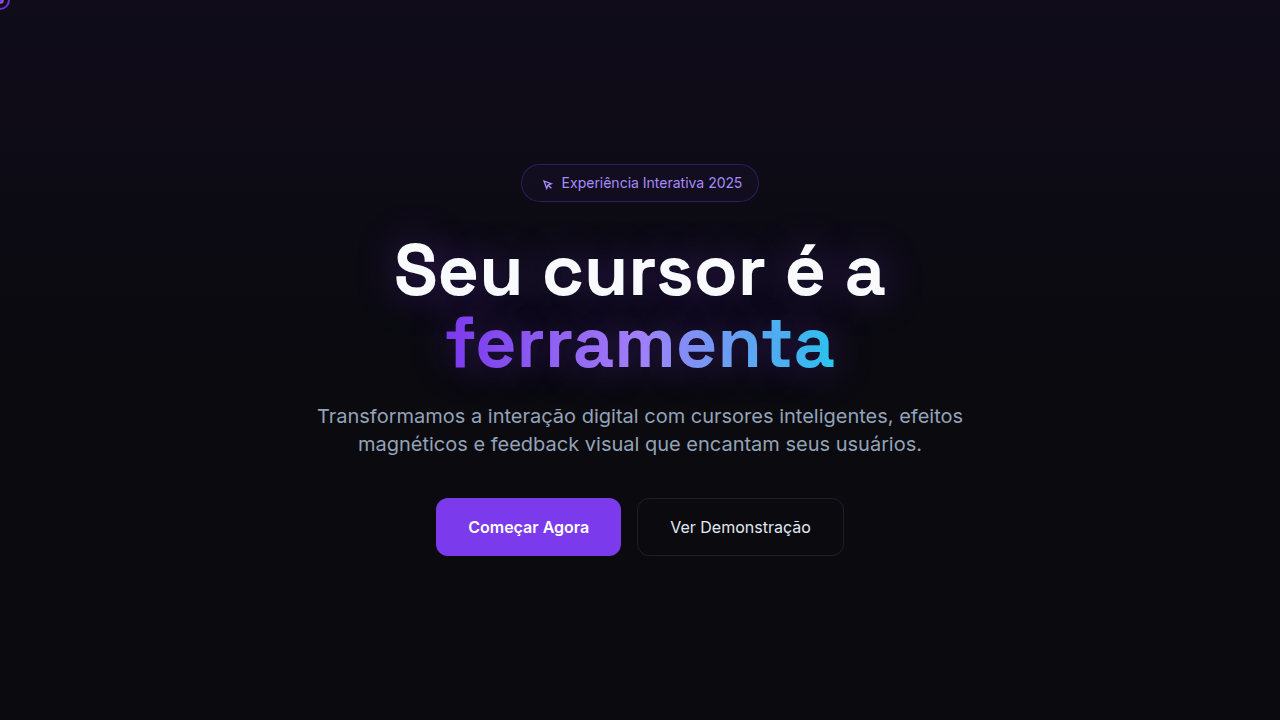
Interactive Cursor Design — Design general com custom cursor, cursor as tool, hover effects. Template e prompt pronto para IA.
Uso: Landing pages, SaaS
Contexto Histórico
Estilo Interactive Cursor Design representa uma tendência moderna em design UI/UX web com foco em general.
Especificações Técnicas
Cores
Efeitos
Cursor scale on hover, magnetic pull to elements, cursor morphing, trail effects, blend mode cursors, click feedback
Light/Dark
✓ Full / ✓ Full
CSS
cursor: none (custom), position: fixed for cursor element, mix-blend-mode: difference, transform on hover targets, magnetic effect (JS position lerp), trail with opacity fade, scale on click
Variáveis
--cursor-size: 20px, --cursor-hover-scale: 1.5, --magnetic-distance: 100px, --trail-length: 10, --trail-fade: 0.1, --blend-mode: difference
Checklist
☐ Custom cursor works, ☐ Hover morph smooth, ☐ Magnetic pull subtle, ☐ Trail performance ok, ☐ Click feedback visible, ☐ Touch fallback provided
DESIGN.md
Design System: Interactive Cursor Design
1. Visual Theme & Atmosphere
Interactive Cursor Design — Design general com custom cursor, cursor as tool, hover effects. Template e prompt pronto para IA. Estilo Interactive Cursor Design representa uma tendência moderna em design UI/UX web com foco em general.
- Density: 5/10 — Balanced
- Variance: 4/10 — Moderate
- Motion: 4/10 — Subtle
2. Color Palette & Roles
- Palette derived from style keywords and era context
3. Typography Rules
- Display / Hero: System UI stack (-apple-system, sans-serif) — Weight 700, tight tracking, used for headline impact
- Body: System UI stack (-apple-system, sans-serif) — Weight 400, 16px/1.6 line-height, max 72ch per line
- UI Labels / Captions: System UI stack (-apple-system, sans-serif) — 0.875rem, weight 500, slight letter-spacing
- Monospace: JetBrains Mono — Used for code, metadata, and technical values
Scale:
- Hero: clamp(2.5rem, 5vw, 4rem)
- H1: 2.25rem
- H2: 1.5rem
- Body: 1rem / 1.6
- Small: 0.875rem
4. Component Stylings
- Primary Button: Subtly rounded (0.5rem) shape. Accent color fill. Hover: 8% darken + subtle lift shadow. Active: -1px translate tactile press. Font weight 600. No outer glows.
- Secondary / Ghost Button: Outline variant. 1.5px border in muted color. Text in primary color. Hover: subtle background fill.
- Cards: Subtly rounded (0.5rem) corners. Surface background. Subtle shadow (0 2px 12px rgba(0,0,0,0.06)). 1px border stroke.
- Inputs: Label above input. 1px border stroke. Focus ring: 2px accent color offset 2px. Error text below in semantic red. No floating labels.
- Navigation: Primary surface background. Active item: accent color indicator. Font weight 500 when active.
- Skeletons: Shimmer animation matching component dimensions. No circular spinners.
- Empty States: Icon-based composition with descriptive text and action button.
5. Layout Principles
- Grid: CSS Grid primary. Max-width containment: 1280px centered with 1.5rem side padding.
- Spacing rhythm: Balanced. Base unit: 0.5rem (8px).
- Section vertical gaps: clamp(4rem, 8vw, 8rem).
- Hero layout: Split-screen (text left, visual right).
- Feature sections: Zig-zag alternating text+image rows. No 3-equal-columns.
- Mobile collapse: All multi-column layouts collapse below 768px. No horizontal overflow.
- z-index contract: base (0) / sticky-nav (100) / overlay (200) / modal (300) / toast (500).
6. Motion & Interaction
- Physics: Ease-out curves, 200-300ms duration. Smooth and predictable.
- Entry animations: Fade + translate-Y (16px → 0) over 420ms ease-out. Staggered cascades for lists: 80ms between items.
- Hover states: Subtle color shift + shadow adjustment over 200ms.
- Page transitions: Fade only (200ms).
- Performance: Only transform and opacity animated. No layout-triggering properties.
7. Anti-Patterns (Banned)
- No emojis in UI — use icon system only (Lucide, Heroicons)
- No pure black (#000000) — use off-black or charcoal variants
- No oversaturated accent colors (saturation cap: 80%)
- No 3-column equal-width feature layouts — use zig-zag or asymmetric grid
- No
h-screen— usemin-h-[100dvh] - No AI copywriting clichés: "Elevate", "Seamless", "Unleash", "Next-Gen"
- No broken external image links — use picsum.photos or inline SVG
- No generic lorem ipsum in demos
Prompt para AI
Design with interactive cursor effects. Use: custom cursor, cursor morphing on hover, magnetic cursor pull, cursor trails, blend mode cursors, click feedback animations, cursor as interaction tool, pointer transformation.
Relacionados
Última sincronização: 01/04/2026